
HARP Emission Inventory Module
Background
Hotspots Analysis and Reporting Program (HARP) Emission Inventory Module (EIM) is the data entry tool that outputs CEIDARS 2.5 transaction files. Many Air Districts use HARP EIM to prepare their criteria & toxics inventories to CARB.
System Requirements
HARP EIM runs on any Windows operating system that supports .NET Framework 4.7.2 or later. After unzipping the HARP EIM application file, run setup.exe and this will install .NET Framework 4.7.2 if it isn't already on your computer.
Before installing, make sure your device meets the following requirements:
- 2GB of RAM
- 390 MB of free space for program files
Latest Version
Emission Inventory Module (v2.3.0)
If you have any active projects that use an older version of HARP EIM, CARB recommends making copies of .mdb files as well as exporting data as a.tra file.Once you have installed the latest version of HARP EIM, you can import your data via your .tra file.
If you have a previous version of HARP EIM installed in your device, CARB recommends uninstalling the older version before installing the latest version. Although you can have multiple versions of HARP EIM running on your device, this may lead to user error down the line.
Listserv
If you would like to be email notified of future HARP updates, please subscribe to the 'Hot Spots Analysis and Reporting System Software' GovDelivery listserv.
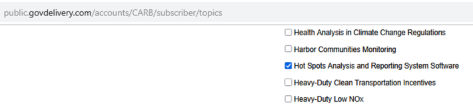
Note that subscribing to the listserv means you'll be receiving email bulletins whenever there is an update to any of the three HARP modules.
You can view previously sent bulletins here.
Training
Through CARB's Learning Management System (LMS) you can take a HARP EIM training course. The name of the course is “HARP: Air Toxics Reporting.”
To access the course
- Go to the Air Quality Training page
- Select “My Account”
- Enter your login credentials and select “External Student Log-In”
- If you don't have an account, select “Create New Account (External Students)”
Related Files
- Getting Started: Provides information for new users and instructions for upgrading from the previous version of HARP.
- User Guide (revised March 3, 2017)
- Sample Project for the EIM: This project contains fictitious data.
- Excel Import Sample: A template MS Excel 2000-2003 file that can be used to import facility and emission data into the Emission Inventory Module.
- CEIDARS Utility Database: Download and manually install the latest CEIDARS utility database. This database is used to assist with data entry and quality assurance. (March 2026)
- The latest health tables can be found on this web page.
- Property Boundary Import Sample: A sample file that can be used to import property boundary data into the Emission Inventory Module. This file will create a five sided polygon. See Section 8.i.iii in the User Guide for more information. Note: The facility origin must be entered before this file can be used. Facility origin: E: 475km, N: 3633.3km, UTM NAD27, Zone 11.
- AB2588 Air Toxics "Hot Spots" Inventory Guidelines: This document provides direction and criteria to facilities on how to compile and submit air toxics emission data.
- AB2588 Air Toxics "Hot Spots" Program Facility Prioritization Guidelines: HARP calculates prioritization scores based on this document